

5 Axis Sample Lesson 8
2020 - 5 Axis Lesson 8
5 Axis Lesson 8
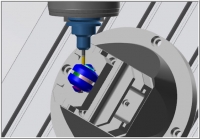
-
1
-
2Import Machine Files & Setup the Machine
 9 min
| 1-2
9 min
| 1-2
-
3
-
4Use Mastercam to complete Task 1 and 2

-
5
-
6Use Mastercam to complete Task 3
-
7Open the Mastercam file 9 min
| 3
-
8Rough the part with OptiRest 13 min
| 4
-
9Use Mastercam to complete Task 4
-
10Finish the surface with Flow 5 Axis 15 min
| 5
-
11Use Mastercam to complete Task 5
-
12Finish the end slots with Curve 5 Axis 9 min
| 6
-
13Use Mastercam to complete Task 6
-
14Finish the middle slot with Curve 5 Axis 6 min
| 7
-
15Use Mastercam to complete Task 7
-
16Deburr the part 6 min
| 8
-
17Use Mastercam to complete Task 8
-
18Setup the Verify and Simulate options 6 min
| 9-10
-
19Use Mastercam to complete Tasks 9 and 10
-
20
-
21

